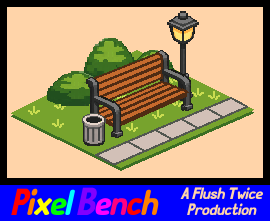
Introducing Pixel Bench!
So what have I been up to? Well for one I've been working on a new image editor to replace my old and busted Paint Shop Pro 4.14 that I've been unnaturally clinging to for nearly three decades. I call it
Pixel Bench, and I'm giving it away for FREE!
What's so great about Pixel Bench? Well for one, it works a lot like the old PSP 4 did. A lot of the shortcuts and tools work in very much the same way as they did, so it's really easy to use. It also has some major improvements to the tools, but the real star of the show is the "Persistent Objects".
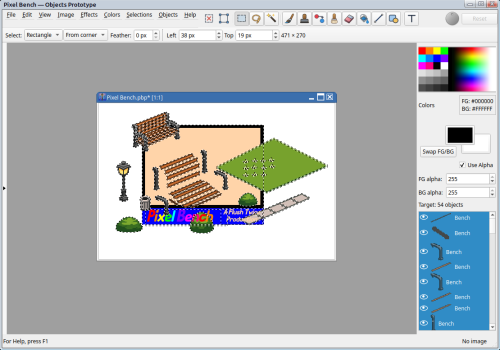
What are persistent objects (POs for short)? Well, have you ever selected an area with one of the select tools, but then you needed to select another area, but to do that you have to deselect the first area? Well not with persistent objects! Every selection can become its own little sprite that you can draw on, resize, rotate, transform, move around, make copies of, but they persist... until you don't want them to anymore. How do you make a PO? It's easy. Just make a selection- any selection, and then either type Ctrl-L or select "Make Persistent" from the Objects menu. It's just that easy. It shows up in the column on the right, similar to a layer. Don't want it to be a persistent object anymore? Select "Flatten", and it's just another group of pixels on the background.
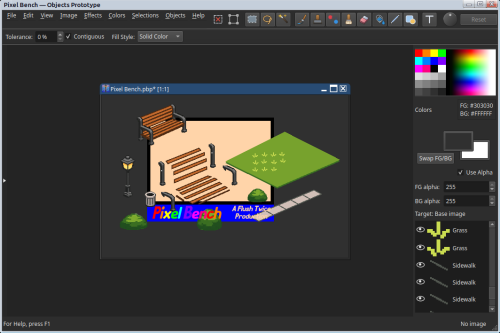
But Pixel Bench has so many more features, like Text Along a Path, Bézier Curves, Lines and Shapes as Objects. I put a lot of thought and work into this to make Pixel Bench my new go-to image editor. It even has a "Dark Mode", unlimited undos, and the ability to save files as projects with all your PO's intact! I'm so confident you'll love it too, I'm willing to give you a 90 year risk free trial! How can I do that? Because it's FREE! I'm releasing PB as an open source project. Anyone can download the source and see exactly how it works! Best of all, you don't have to download the source, because it's already compiled for both Windows and Linux!
I don't know if you can tell, but I'm really excited about this. I've never release a software project like this before, and frankly I think this is one that people are going to be talking about.
Photoshop and Clip Studio cost too much, Gimp is too hard to figure out, Inkscape just sucks, and using paint programs in your browser is a privacy nightmare. Pixel Bench is Free with no ads and no hassles. Just
download the zip, Unzip it, open the folder, find either the pixel-bench-mdi for Linux or the pixel-bench-mdi.exe for Windows and double click it! Best part is, if it doesn't work for you, you get your money back! (That's cuz it's free.)
So anyway, that's my big news. I worked really hard on this, and a really hope you try it.
Pixal Bench... Tell your friends.
Pax,
-f2x